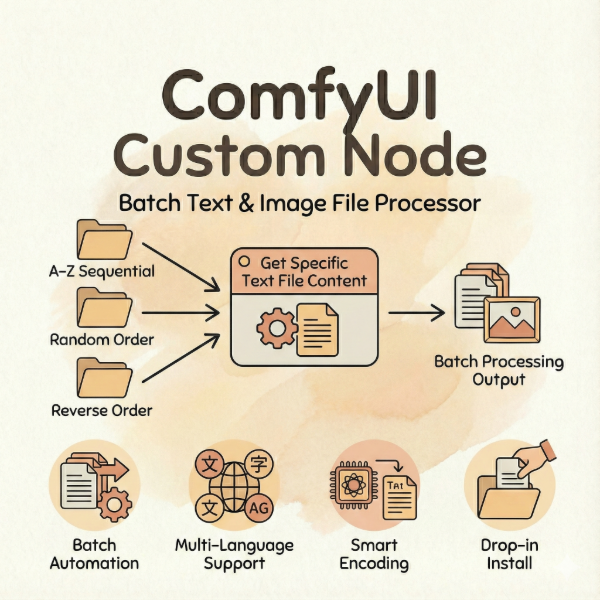
Batch sequential,random,reverse order reading of video content nodes
Virtual product
{{ variable.name }}
A professional-grade ComfyUI video processing node for batch loading and processing video files. Built for Vid2Vid workflows, AnimateDiff pipelines, and commercial video processing — supports 12+ video formats with advanced frame control, audio extraction, and model-specific presets.
Product Type: ComfyUI Custom Node (Python plugin)
Core Features:
- Three reading modes: Sequential, Random, and Reverse order
- 12+ video formats: MP4, AVI, MOV, MKV, FLV, WMV, WebM, M4V, MPEG, MPG, 3GP, OGV
- Advanced frame control: Skip frames, select every Nth frame, frame load cap
- Custom resolution: High-quality LANCZOS4 interpolation for any output size
- Force frame rate: Normalize videos to consistent FPS for batch processing
- Audio extraction: Lazy-loaded audio with automatic sample rate detection
- Model presets: One-click optimization for AnimateDiff, Mochi, LTXV, Hunyuan, Cosmos, Wan
- Progress bar: Real-time visual feedback during video loading
- State management: Automatic index tracking for continuous batch processing
Output Data (7 outputs):
- images: Video frames as IMAGE tensor
- frame_count: Number of loaded frames (INT)
- audio: Extracted audio with waveform and sample rate (AUDIO)
- video_info: Complete metadata dictionary (VHS_VIDEOINFO)
- video_path: Current video file path (STRING)
- current_index: Current position in batch (INT)
- total_count: Total videos in directory (INT)
Use Cases:
- Vid2Vid batch processing: Transform entire video folders with style transfer
- AnimateDiff training data: Prepare consistent frame sequences for motion learning
- Video dataset management: Process training videos in controlled order
- Commercial video pipelines: Automate large-scale video-to-video workflows
- A/B testing: Randomize video inputs for unbiased model comparisons
Technical Specifications:
- Node name: "Video File Loader 📹"
- Category: "video"
- Dependencies: OpenCV (cv2), FFmpeg (for audio extraction)
- Memory optimization: Lazy audio loading, frame-by-frame processing
Package Contents:
- get_file_video.py (main node file)
Installation:
Place the node file (get_file_video.py) in your ComfyUI custom_nodes folder, restart ComfyUI, and search for "Video File Loader" in the nodes list. Ensure FFmpeg is installed for audio extraction features.
Who This Is For:
- Video workflow engineers building batch Vid2Vid systems
- AnimateDiff users needing consistent video input pipelines
- Commercial studios processing large video datasets
- Developers creating automated video transformation workflows